Create rule-based trading systems in Build Alpha (no code), stress-test and validate, then export PowerLanguage code for MultiCharts backtesting and deployment.
MultiCharts traders use rules. Build Alpha speeds up the workflow.
MultiCharts is a powerful platform for backtesting and automated trading—but building enough strategy ideas to find real edges often requires weeks of coding and parameter tweaking.
Manual coding and trial-and-error is slow and difficult to validate.
Build Alpha automatically generates and evaluates strategies faster: define your constraints, generate candidates, auto filter out curve-fit backtests with automated robustness testing, and then export code for MultiCharts.
What you can do with Build Alpha + MultiCharts
The opportunities are seemingly endless. Build Alpha and MultiCharts pairing is a community favorite and real powerhouse for serious systematic traders. Some key features and offers below.

1) Build strategies without coding
Build Alpha helps you specify a complete trading strategy using a point-and-click interface you can fully customize. Configure:
- Market and timeframe
- Entry logic (signals + filters)
- Exits (time-based exits, stops, targets, and more)
- Position sizing rules and constraints
- Trading hours and time filters
- Objective function (fitness – what the software optimizes for)
And hit Simulate.
You decide what’s allowed and what’s not. From there, Build Alpha systematically generates and tests strategy variations inside your rules—so you can evaluate more ideas faster without manually coding every permutation. The Build Alpha engine programmatically explores combinations of rules to find the strongest candidates efficiently.
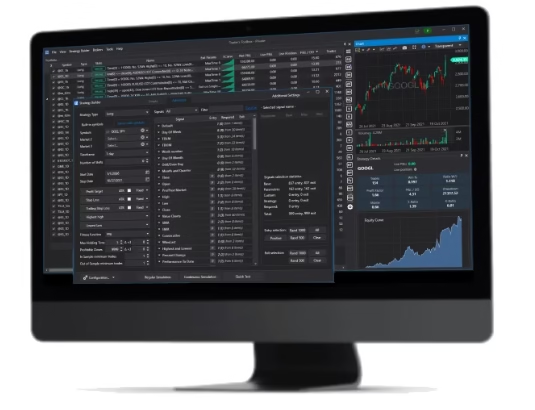
What Signals are available in Build Alpha?
Build Alpha has a vast library of over 7,000+ signals that cover everything from:
- price movements
- volume
- volatility
- candlesticks
- advanced technical analysis (chart patterns)
- technical indicators
- adaptive moving averages
- intermarket signals
- multi-timeframe signals
- math operators
- economic data
- Weather data
- Vix term structure
- Treasury yields and spreads
- Gamma exposure
- Dark pool index
- news events
- COT report
- market breadth
- Google trends
- and more
Create Custom Indicators in Build Alpha and export to PowerLanguage
Traders can create their own indicators and signals through a no-code editor that Build Alpha can translate to working PowerLanguage code. Read more about the Build Alpha Custom Signal Editor here.
The BA strategy engine can access any custom indicators created during the build process and include them in the strategy generation phase alongside any selected built-in signals.
2) Validate before you deploy (robustness-first)
Building a strategy is the easy part. Proving it’s real is where most traders don’t spend enough time.
Build Alpha is designed around a validation-first workflow, so you can pressure-test ideas before you ever export to MultiCharts. Institutional-grade robustness tests include:
- Out-of-sample testing – reserve a portion of data so the strategy is evaluated on unseen history
- Monte Carlo analysis – reshuffle trades to understand drawdown risk and path dependency
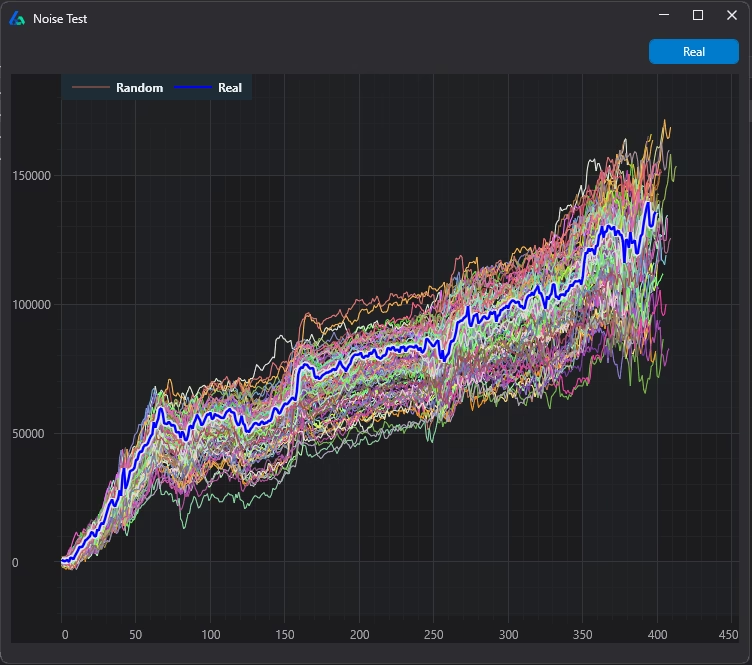
- Noise tests – (below) slightly perturb price data and re-run the strategy to see if results survive
- Vs Random Test – benchmark against randomly generated strategies to avoid false confidence
- Walk Forward Optimization – re-optimize on a rolling window, then test on the next unseen window. Inject synthetic data to find more robust parameter settings.
Automated Robustness and Stress testing (curve-fitting defense)
In Build Alpha v3, you can also automate your entire research workflow. Instead of manually reviewing hundreds of candidates, you define your pass/fail requirements up front—then the engine only keeps strategies that clear your thresholds.
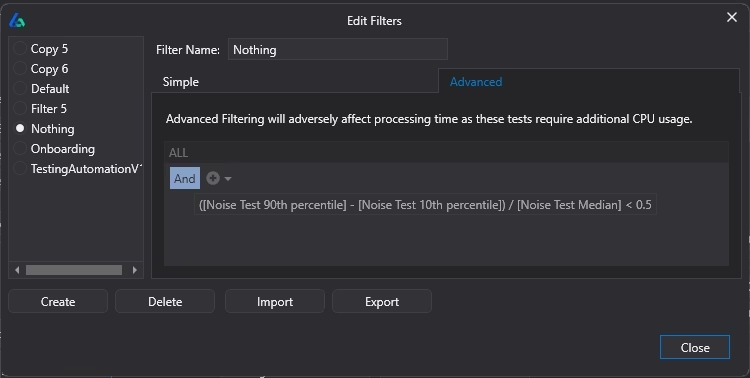
This includes the robustness filters above, plus any additional constraints you want (risk limits, trade count, performance metrics, stability checks, and more). The result: fewer “pretty backtests,” more strategies that are actually worth exporting and running in MultiCharts.
The automated filter system forces the backend search process to generate only strategies that meet your required risk and performance criteria—saving hours of manual review and dramatically reducing the odds of curve-fit results.
3) Export to MultiCharts (PowerLanguage / EasyLanguage)
Once strategies pass your rules and validation filters, export PowerLanguage code to MultiCharts so you can:
- run platform-native backtests
- confirm assumptions (session, costs, slippage)
- prepare for execution in your MultiCharts workspace
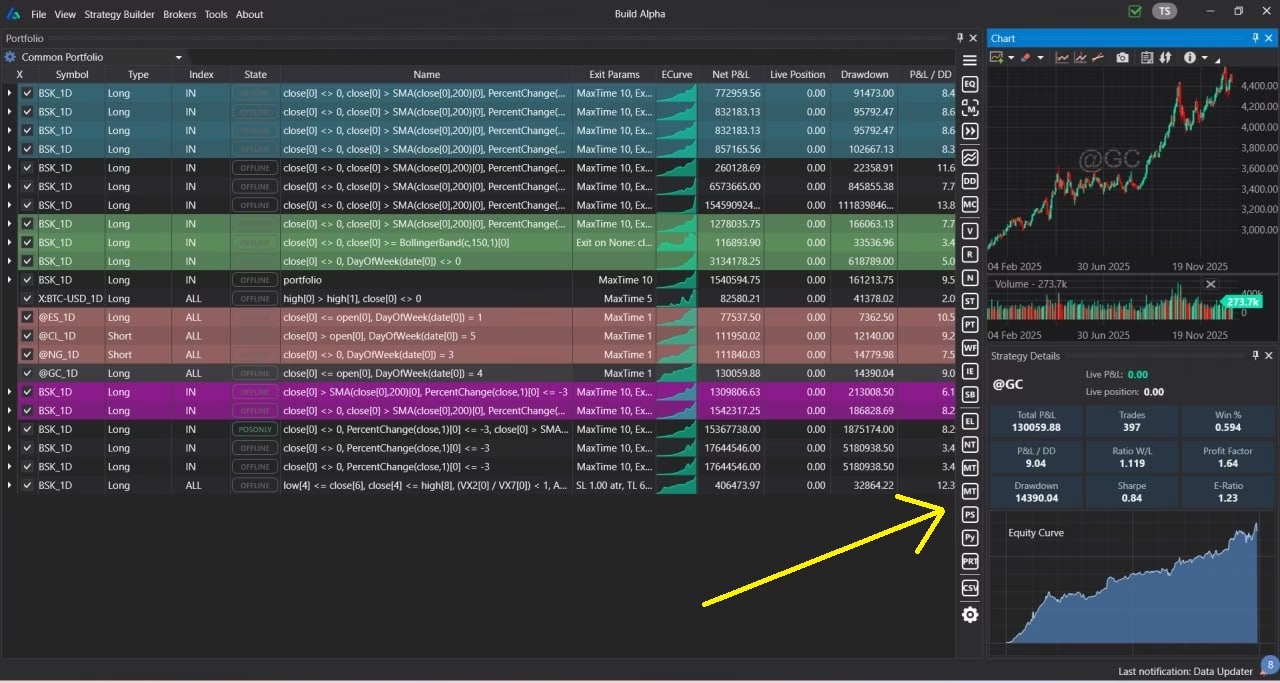
Above is a picture of Build Alpha’s portfolio dashboard for monitoring all your saved trading systems. Expand the right-hand side panel to view the validation tests and code generator buttons.
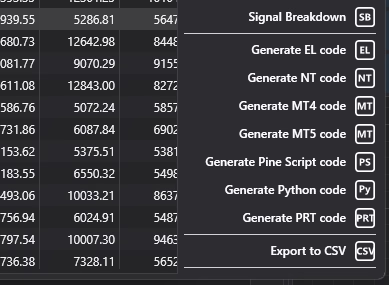
In the lower-right of the Strategy Results window there are one-click buttons to generate code for popular trading platforms such as:
Below is where they live in Build Alpha
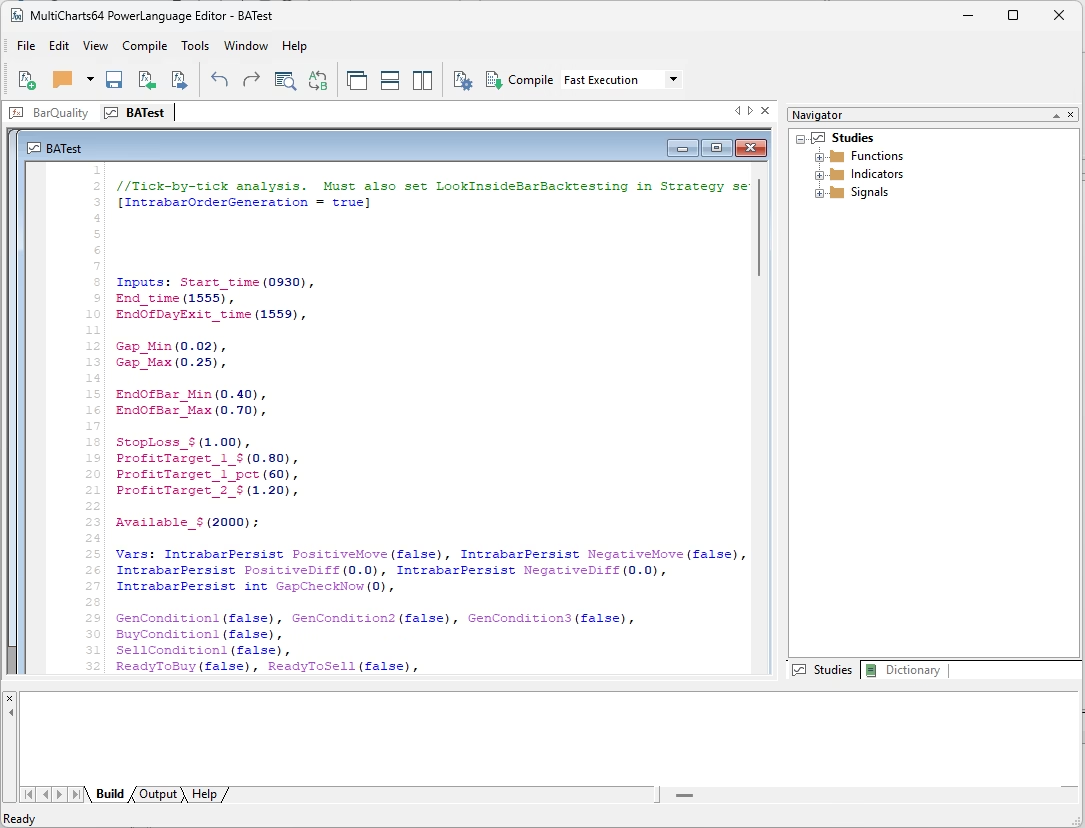
Simply copy and paste the generated code into the PowerLanguage Editor and you can operate the trading system as if you coded it yourself.
Who this software is for
This is a fit if you:
- want strategy automation
- don’t want to build everything from scratch
- want to diversify your build process
- care about avoiding curve fitting
- want a repeatable research workflow
- want to export strategies to the platform you trade
This is not a fit if you’re looking for:
- a signal service
- copy trading
- guaranteed performance
FAQ
No. MultiCharts is your trading/backtesting platform. Build Alpha is research software to generate and validate systems faster, then export to your platform.
No. Build Alpha is no-code. You can export code for MultiCharts at the click of a button.
No. Build Alpha helps you generate and validate rule-based strategies. It does not promise performance.
Yes, the backend strategy engine uses a machine learning model (my background) to help find more successful strategies. Additionally, ML/AI can analyze and improve existing trading strategies automatically using the Intelligence Report feature. You can read about all Build Alpha’s features here: Build Alpha Features
Yes, it does. You can combine strategies together and simulate a correlation-aware portfolio using pooled (shared) capital. Portfolio trading can often be best for performance and security.
Thanks for reading. Email with any questions!